现在市面上有很多大模型厂商, 国外的有 Anthropic、Open AI、Grok、Gemini等,但是访问国外现在不方便,国内的有 DeepSeek、千问、ZLM、Minimax 等。
我们使用Claude Code 写代码最费钱的就是 token 了,海外的访问不方便,而且还贵,国内的现在都有包月套餐,如果长期用建议买包月套餐划算。
本文介绍阿里云百炼的 Coding Plan,它专为 AI 编程工具设计的订阅制服务,整合了千问(Qwen)、GLM、Kimi、MiniMax 等顶级大模型,兼容主流 AI 编程助手(如 OpenCode、Claude Code、OpenClaw 等),采用固定月费模式,成本远低于按量计费 API,且彻底杜绝欠费风险。
Coding Plan 核心优势:
推荐模型(官方已适配):
Coding Plan 支持以下工具:Cursor、Claude Code、OpenClaw、OpenCode、Cline(VS Code 扩展)、Kilo Code / Kilo CLI、Qwen Code、Codex 等。
订阅 Coding Plan
需要先购买百炼的 Coding Plan 套餐:https://www.aliyun.com/benefit/scene/codingplan
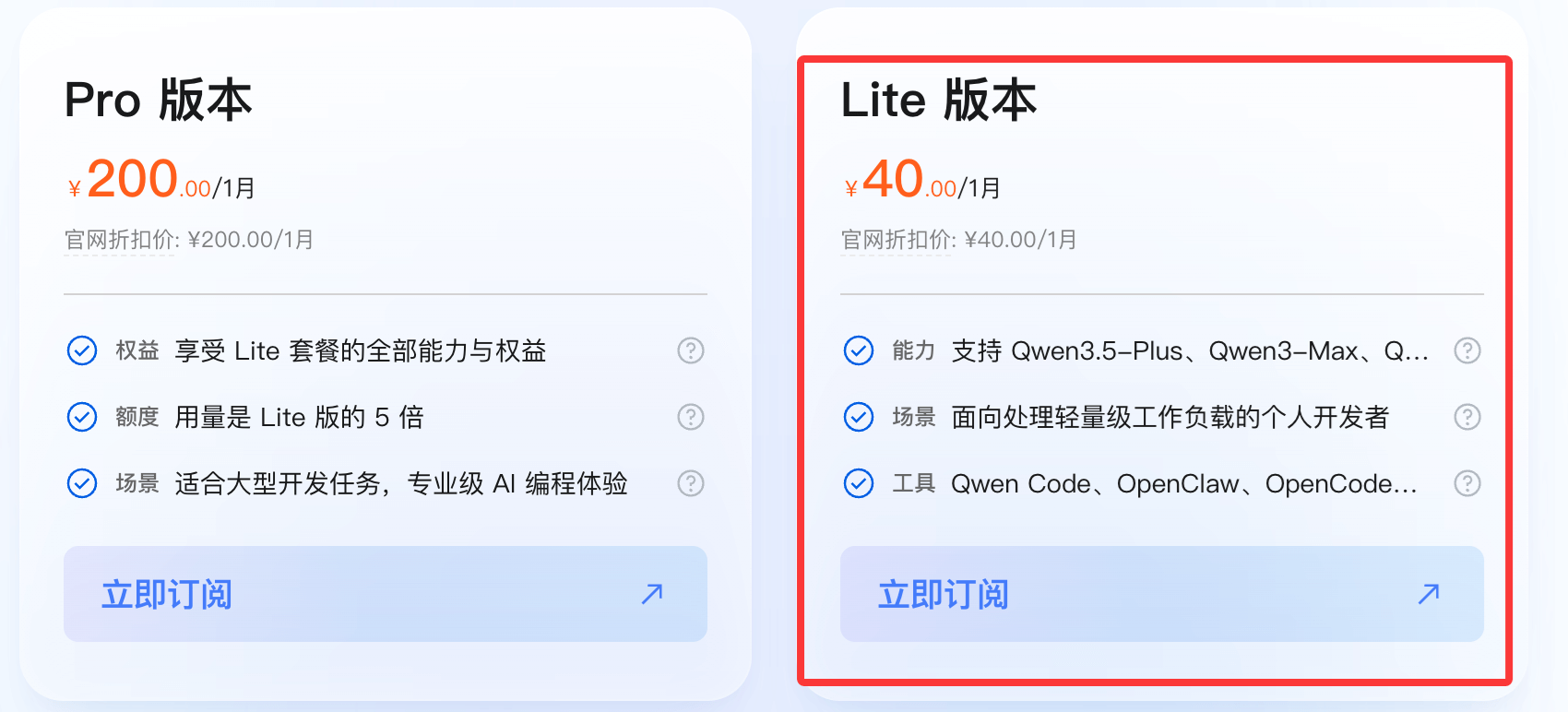
如果用量非常大可以使用 Pro 版本,它是 Lite 版本的 5 倍,支持的模型都一样:
购买完 Coding Plan 套餐,可以在Coding Plan 页面,获取 Coding Plan 专属 API Key(格式为 sk-sp-xxxxx)。
后续需在 AI 工具中配置以下其中一个 Base URL(因工具而异):
说明:Coding Plan 专属的 API Key 和 Base URL 与百炼按量计费的 API Key(sk-xxxxx)和Base URL(https://dashscope.aliyuncs.com/xxxxxx)不互通,请勿混用。
在 OpenCode 配置 Coding Plan
请在以下路径创建并打开配置文件 opencode.json :
将以下配置写入文件,关键配置项:
注意:保存配置文件后,请退出并重新启动 OpenCode 使新配置生效。
{
    "$schema": "https://opencode.ai/config.json",
    "provider": {
        "bailian-coding-plan": {
            "npm": "@ai-sdk/anthropic",
            "name": "Model Studio Coding Plan",
            "options": {
                "baseURL": "https://coding.dashscope. aliyuncs.com/apps/anthropic/v1",
                "apiKey": "YOUR_API_KEY"
            },
            "models": {
                "qwen3.5-plus": {
                    "name": "Qwen3.5 Plus",
                    "modalities": {
                        "input": ["text", "image"],
                        "output": ["text"]
                    },
                    "options": {
                        "thinking": {
                            "type": "enabled",
                            "budgetTokens": 8192
                        }
                    },
                    "limit": {
                        "context": 1000000,
                        "output": 65536
                    }
                },
                "qwen3-max-2026-01-23": {
                    "name": "Qwen3 Max 2026-01-23",
                    "modalities": {
                        "input": ["text"],
                        "output": ["text"]
                    },
                    "limit": {
                        "context": 262144,
                        "output": 32768
                    }
                },
                "qwen3-coder-next": {
                    "name": "Qwen3 Coder Next",
                    "modalities": {
                        "input": ["text"],
                        "output": ["text"]
                    },
                    "limit": {
                        "context": 262144,
                        "output": 65536
                    }
                },
                "qwen3-coder-plus": {
                    "name": "Qwen3 Coder Plus",
                    "modalities": {
                        "input": ["text"],
                        "output": ["text"]
                    },
                    "limit": {
                        "context": 1000000,
                        "output": 65536
                    }
                },
                "MiniMax-M2.5": {
                    "name": "MiniMax M2.5",
                    "modalities": {
                        "input": ["text"],
                        "output": ["text"]
                    },
                    "options": {
                        "thinking": {
                            "type": "enabled",
                            "budgetTokens": 8192
                        }
                    },
                    "limit": {
                        "context": 204800,
                        "output": 131072
                    }
                },
                "glm-5": {
                    "name": "GLM-5",
                    "modalities": {
                        "input": ["text"],
                        "output": ["text"]
                    },
                    "options": {
                        "thinking": {
                            "type": "enabled",
                            "budgetTokens": 8192
                        }
                    },
                    "limit": {
                        "context": 202752,
                        "output": 16384
                    }
                },
                "glm-4.7": {
                    "name": "GLM-4.7",
                    "modalities": {
                        "input": ["text"],
                        "output": ["text"]
                    },
                    "options": {
                        "thinking": {
                            "type": "enabled",
                            "budgetTokens": 8192
                        }
                    },
                    "limit": {
                        "context": 202752,
                        "output": 16384
                    }
                },
                "kimi-k2.5": {
                    "name": "Kimi K2.5",
                    "modalities": {
                        "input": ["text", "image"],
                        "output": ["text"]
                    },
                    "options": {
                        "thinking": {
                            "type": "enabled",
                            "budgetTokens": 8192
                        }
                    },
                    "limit": {
                        "context": 262144,
                        "output": 32768
                    }
                }
            }
        }
    }
}
说明:budgetTokens 用于控制模型思考过程的最大 Token 预算,若设置过低可能导致模型思考过程中断。
使用
在终端中执行以下命令进入 OpenCode。
opencode
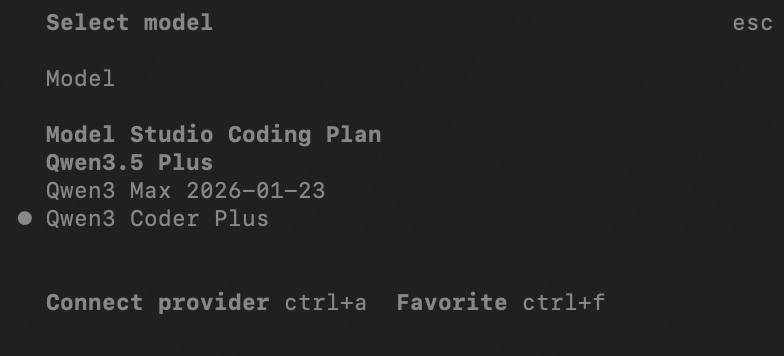
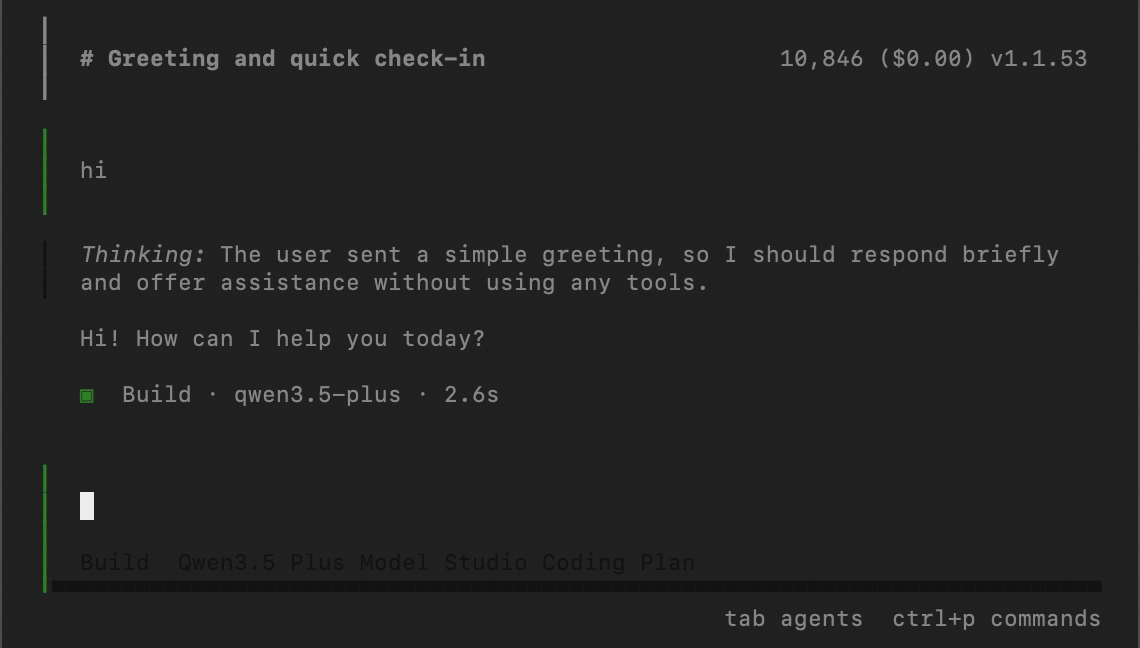
在命令行输入 /models,输入 Model Studio Coding Plan 进行搜索,选择模型后即可使用。
 学习助手
学习助手