OpenClaw(原名 Clawdbot,过渡名 Moltbot)是 2026 年 1 月突然爆火的开源个人 AI 助手项目,由 Peter Steinberger(PSPDFKit 创始人)开发。
OpenClaw 是一个可执行任务的智能体,我们给指令,它不仅回答,还能主动操作系统、访问网页、处理邮件、整理文件、发起提醒甚至自动编写代码。
OpenClaw 是一个把 本地算力 + 大模型 Agent 自动化 玩到极致的开发者效率工具。
OpenClaw 目标是让 AI 不只是给建议,而是直接完成完整工程任务。
因为 Anthropic 在 1 月 27 日发律师函称 Clawd / Clawdbot与 Claude 太像,项目在当天紧急更名为 Moltbot(脱皮龙虾之意,吉祥物是小龙虾),但功能完全一致,旧命令 clawdbot 仍然兼容。
Moltbot 是项目组为了应对侵权风险想出的过渡名字,OpenClaw 这是目前的最终官方名称。
Clawbot、Moltbot 和 OpenClaw 其实是同一个开源项目,名字演进顺序为:
Clawdbot → Moltbot → OpenClaw
安装方法
OpenClaw 的安装被设计得极为友好,即使是非开发者也能快速上手。
环境:支持 Mac, Windows, Linux,需要安装 Node.js (pnpm) 或使用 Docker。
1、推荐安装方式(一键脚本):
直接通过终端,执行以下命令。
macOS/Linux 系统:
curl -fsSL https://openclaw.ai/install.sh | bash
Windows 系统:
#PowerShell
iwr -useb https://openclaw.ai/install.ps1 | iex

#CMD
curl -fsSL https://openclaw.ai/install.cmd -o install.cmd && install.cmd && del install.cmd
这会自动安装 Node.js(≥22)并完成基本配置。
2、手动安装
需要 Node.js ≥22并完成基本配置。
使用 npm:
npm i -g openclaw
或使用 pnpm:
pnpm add -g openclaw
安装完成后,初始化并安装后台服务(launchd / systemd 用户服务):
openclaw onboard
3、从源码安装(开发模式)
git clone https://github.com/openclaw/openclaw.git
cd openclaw

pnpm install

pnpm ui:build   # 首次运行会自动安装 UI 相关依赖并构建前端界面
pnpm build      # 构建整个项目(包含后端与相关模块)

# 初始化 OpenClaw 并安装为系统后台服务(开机自动运行)
pnpm openclaw onboard --install-daemon

# 开发模式:监听 TypeScript 代码变更并自动重载网关服务
pnpm gateway:watch
配置说明
我们推荐使用一键脚本安装。
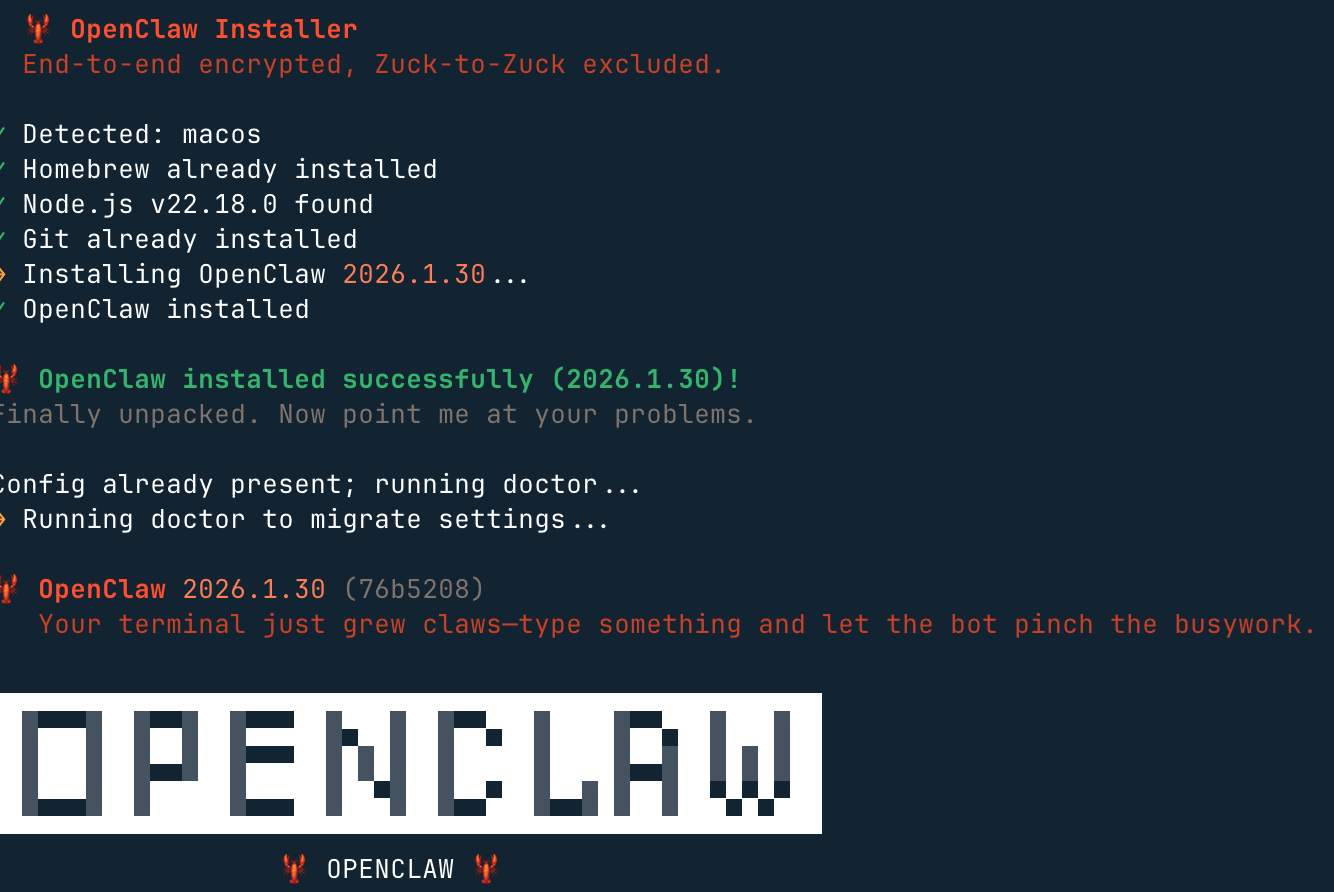
它会完成环境检测,并且安装必要的依赖,还会启动 onboarding 流程。
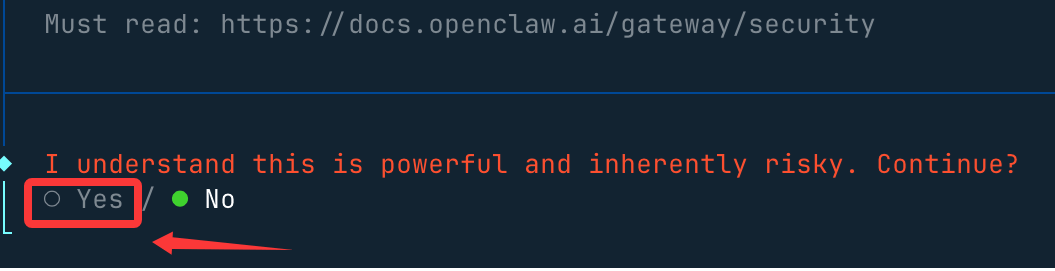
然后,会提醒你这个龙虾能力很强,当然风险也很大,我们选 yes(no 就不安装了) 就好了:
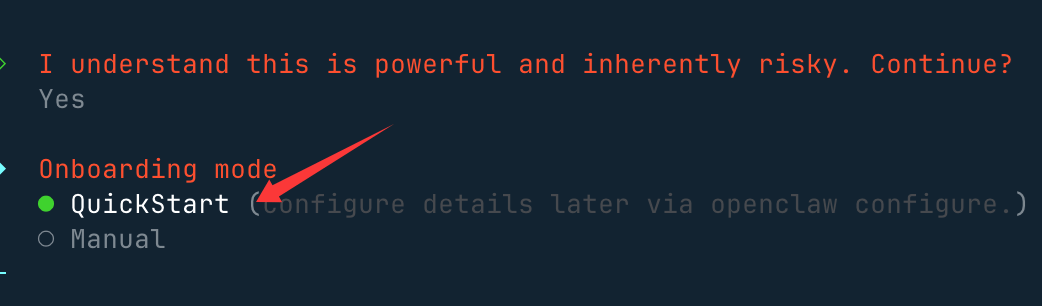
接下来我们就选快速启动 QuickStart 选项:
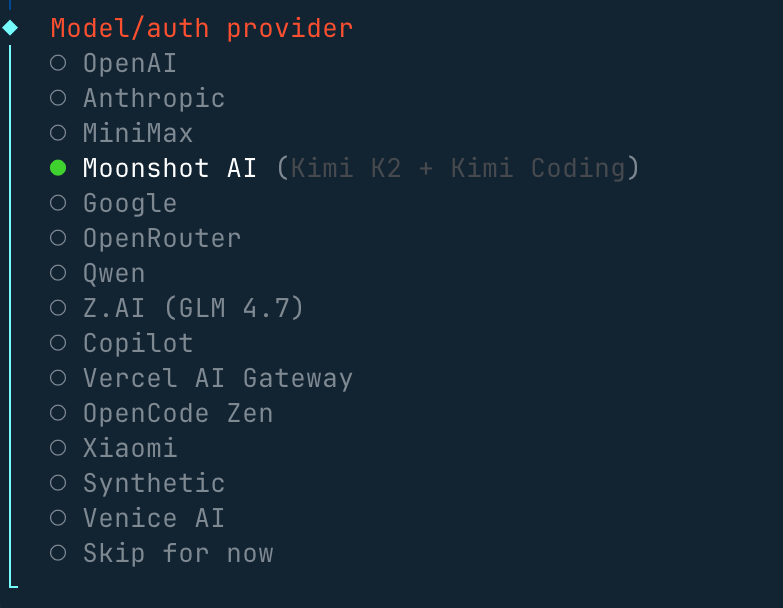
接下来我们需要配置一个大模型,Model/Auth Provider 选择 AI 供应商,国内外的供应商基本都支持。
如果没有海外的账号,配置咱们国内的 Qwen、MiniMax、智谱的 API key 也是可以的。
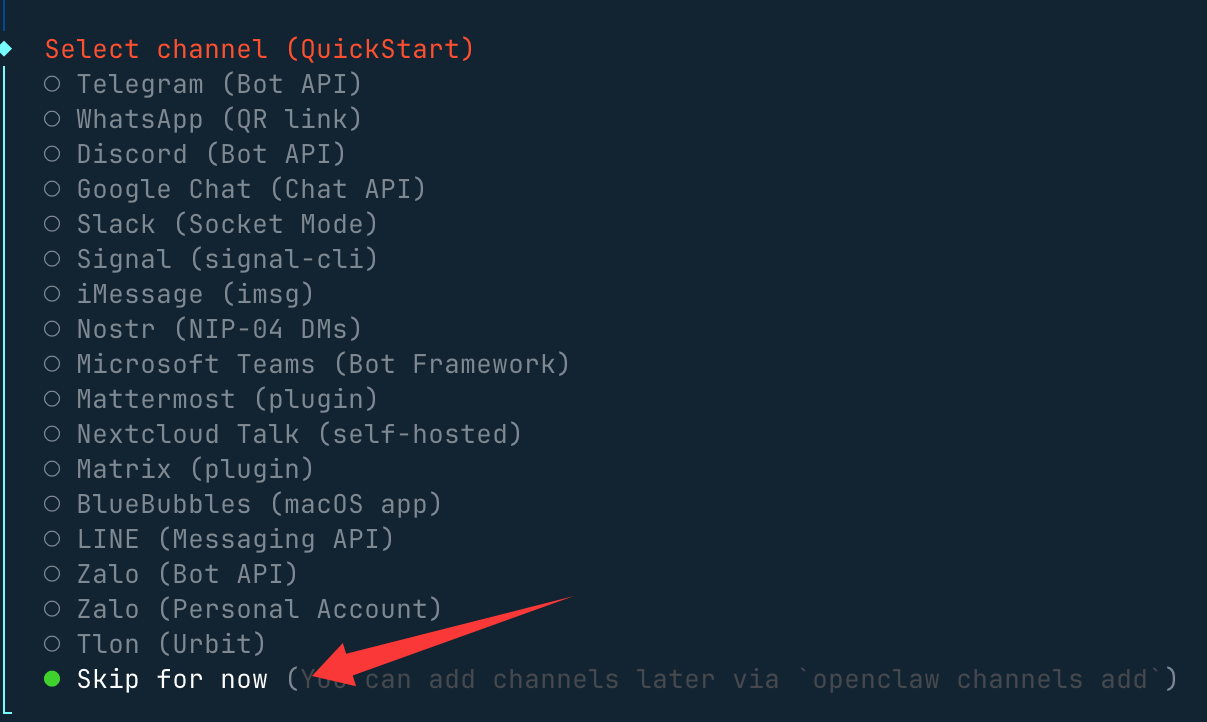
然后会出现选择聊天工具的选项,海外的一般都没有可以选最后一个:
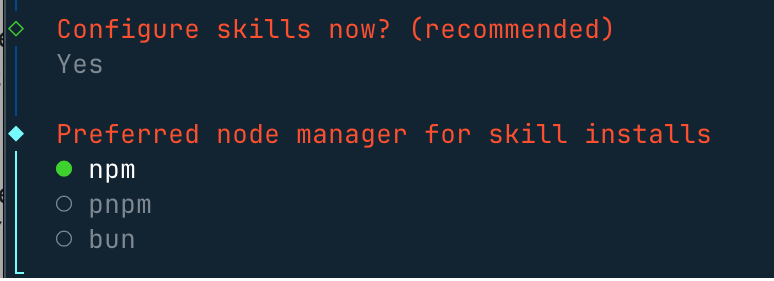
其他配置,比如端口的设置 Gateway Port,按默认的 18789 即可,比如 Skills、包的安装管理器选 npm 或其他,可以一路 Yes 下去。
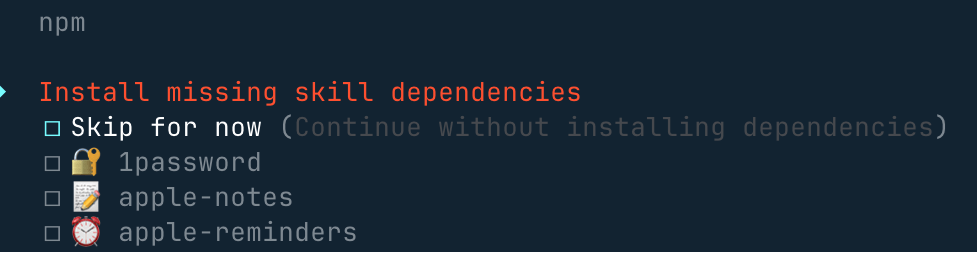
选一些自己喜欢的 skills,也可以直接跳过,使用空格按键选择:
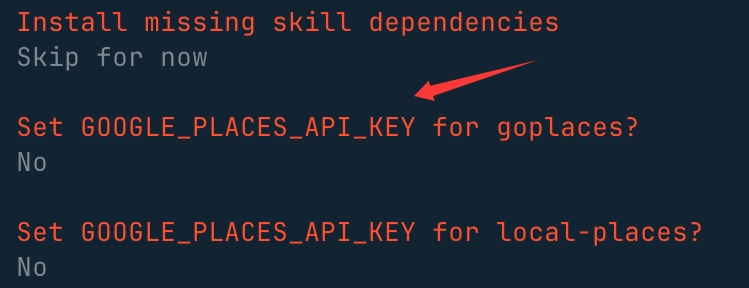
这些 API key,没有的直接选 no:
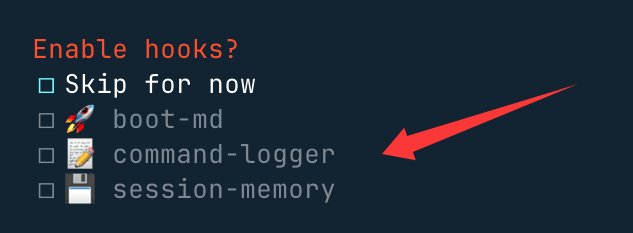
最后这三个钩子可以开启,主要做内容引导日志和会话记录:
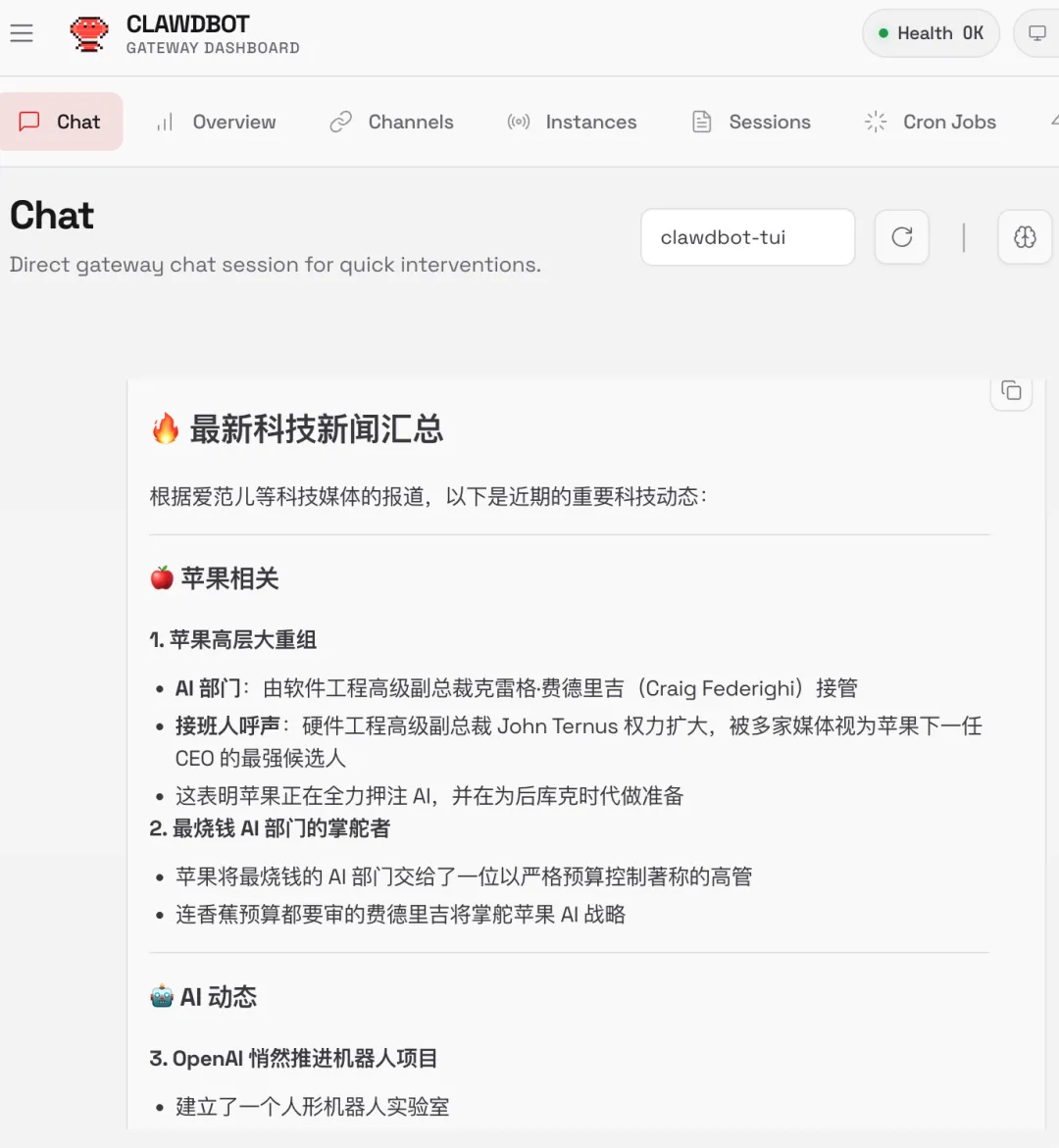
安装完后,就会自动访问 http://127.0.0.1:18789/chat,就可以打开聊天界面让它开始工作。
比如搜索最新的科技新闻:
启动后,我们可以使用 openclaw status 命令查看状态:
openclaw status
常用命令
openclaw gateway           # 运行 WebSocket 网关服务(可加 --port 指定端口)
openclaw gateway start     # 启动
openclaw gateway stop      # 停车
openclaw gateway restart   # 重启
openclaw channels login    # WhatsApp QR 配对登录
openclaw channels add      # 添加 Telegram/Discord/Slack 机器人(可加 --token)
openclaw channels status --probe      # 检查通道健康状态
openclaw onboard # 交互式设置向导(可加 --install-daemon)
openclaw doctor --deep     # 健康检查与快速修复
openclaw config get|set|unset    # 读取 / 写入配置值
openclaw models list|set|status  # 模型管理与认证状态
openclaw models auth setup-token # Anthropic 认证流程设置
通道管理
工作区结构(Workspace Anatomy)
聊天内斜杠命令
关键路径映射(Essential Path Map)
语音与 TTS
内存与模型
Hooks 与技能
故障排除
自动化与研究
通过第三方云直接安装配置
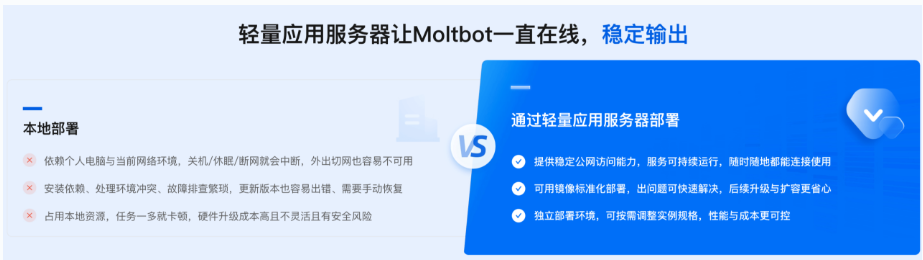
现在各大平台都已经支持这个智能体,如果不想安装在本机,可以一键部署云上OpenClaw:
使用阿里云的轻量级服务器安装:https://www.aliyun.com/activity/ecs/clawdbot 。
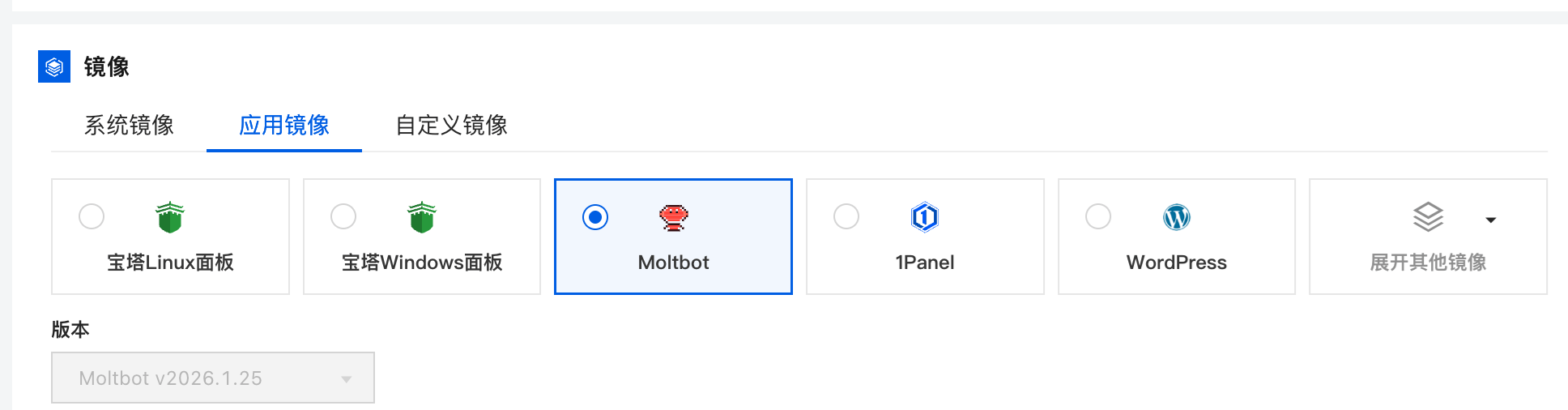
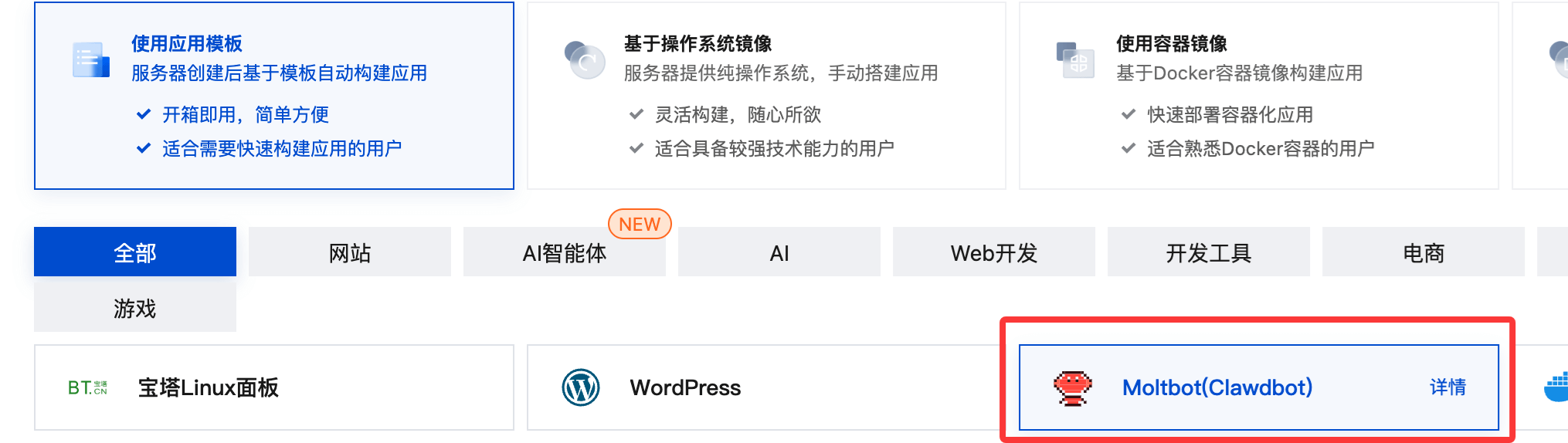
可以使用它们的镜像,一键安装:
使用腾讯云的轻量级服务器安装:https://cloud.tencent.com/developer/article/2624973
OpenClaw 常用命令如下:
openclaw health
openclaw doctor
--deep
openclaw onboard --install-daemon
openclaw onboard --uninstall-daemon
openclaw configure
openclaw config get <path>
openclaw config set <path> <value>
openclaw config unset <path>
openclaw channels list
openclaw channels login
openclaw channels add
openclaw channels status --probe
openclaw skills list
openclaw skills info <skill>
clawhub install <slug>
openclaw hooks list
openclaw plugins list
openclaw plugins install <id>
@openclaw/voice-call
openclaw plugins enable <id>
openclaw models list
openclaw models status
openclaw models auth setup-token
openclaw memory search "X"
openclaw memory index
openclaw logs
openclaw logs --follow
--json / --plain / --limit
openclaw gateway install
openclaw gateway start
openclaw gateway stop
openclaw gateway restart
openclaw gateway status
openclaw browser start
openclaw browser screenshot
openclaw subagents list
openclaw cron list
openclaw cron run <id>
openclaw uninstall
openclaw uninstall --all --yes --non-interactive
openclaw uninstall --state
openclaw uninstall --workspace
openclaw uninstall --service
openclaw uninstall --dry-run
为什么最近这么火?
其核心能力包括:
相比 Claude Code/OpenCode 这种代码补全工具,OpenClaw 更接近一个具备执行权限的工程型智能体。
 学习助手
学习助手